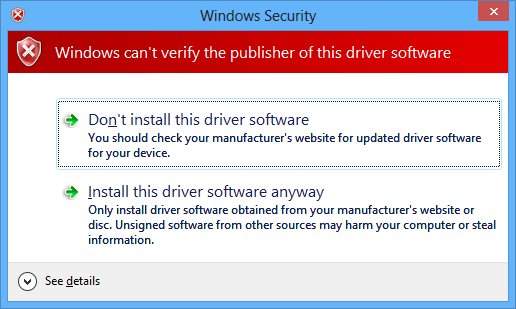
A security feature of Windows Vista 64 bit version is that unsigned drivers will not load. I’m all for increased security, until I run across a piece of hardware that does not have signed drivers.
It was easy to disable driver signing before two updates were released. From an elevated command prompt I ran
bcdedit /set loadoptions DDISABLE_INTEGRITY_CHECKS
and rebooted, and I was able to load the unsigned drivers with no problem.
But that was before KB932596 and KB938979 were released. These two patches broke the bcdedit command listed above. Sure, I could still access the Advanced Boot Options menu by pressing F8 during the boot process and selecting Disable Driver Signature Enforcement, but that just disables driver signing for the current boot only.
I was looking for a permanent solution and came across this guide that explains the bcdedit command will work if if you uninstall the patches from KB932596 and KB938979. You can also use VBCDEDIT to edit Vista’s boot options, which are normally set using the bcdedit command.
[update 11-05-2007]
Violator posted that KB938194 also needs to be uninstalled , and he suggests running the following command as well:
Bcdedit /set nointegritychecks ON
[updated 11-14-2007]
E-M@iLinAtoR commented that Windows6.0-KB941649-v2-x64 also needs to be uninstalled.
[updated 03-24-2009]
If all else fails, try Mark’s technique for creating your own driver signing certificate and signing the driver or application yourself. Thanks to Claus for the link.
November 13, 2007 at 9:57 pm
Hi, thanks for the info!
But today I got another Update to put on the list, cause it disabled the boot setting, too.
Windows6.0-KB941649-v2-x64
After uninstalling and hiding in Windows Update it works again, we gotta do without those updates
November 14, 2007 at 10:34 am
Thanks for the update E-M@iLinAtoR, I’ve added your suggestion to the list.
- Julie
November 23, 2007 at 9:00 pm
Hello Julie and others,
Removing the four updates above worked perfectly for me, and I was able to load the ATI Tray Tools driver with no issues on my next reboot. However, it seemed that my internet connection had been locked down to only Windows Update, and upon opening the start menu my Shutdown and Reboot options were replaced with “Install Updates and reboot” and it’s shutdown variant. Is this some fluke for me, or is Windows really noticing that people have removed these updates? (After I rebooted with the Install Updates, the driver protection was restored.)
Thanks for the article nonetheless,
–Chipp
November 23, 2007 at 9:15 pm
Nevermind the above.
I turned off automatic updates and all is well.
Thanks!
December 10, 2007 at 4:37 pm
Yep, I was looking for something like this for a while today.
This works as of 12/10
I’m using app called I8kfanGUI on Vista x64
fanio.sys stopped working
Uninstall the following:
KB932596
KB938979
KB938194
KB941649
December 12, 2007 at 12:55 pm
Today came a pack of Updates to me and again, boot setting disabled
Those are:
KB941568
KB941569
KB942615
KB942624
KB943078
KB905866
KB942763
KB943597
Office SP1
I’m on figuring out which one is the smurf, I’ll tell if I find before some1 else
December 12, 2007 at 4:31 pm
Okay I got it!
):
It’s the KB943078 Update, uninstall and hide that one too to make the boot setting permanent again.
Here’s the complete list till now, which will get longer and longer till Microsoft gives that up (never?
KB932596
KB938979
KB938194
KB941649
KB943078
December 15, 2007 at 7:52 pm
Smurf confirmed: KB943078
Gargamel that bitch.
December 16, 2007 at 5:33 pm
automatic-F8 SOLUTION:
Today I finally got another Workaround working, which is the best solution ever, since you can Install all updates on Vista 64 and use unsigned drivers:
U can use this either with Floppy or USB-Drive. So cool, it is simulated that you press F8 during boot, twice Up, then Enter, but you just sitting there
For second choice, setup your BIOS that it can boot via USB-Flash-Drive (Boot Order (USB-HDD) and enable something like “USB Storage detection”, BIOS dependant).
1. download “fdboot.zip” from here and unzip
2. download “rwwrtwin.zip” (RAWwrite) from here, unzip and execute
3. browse for “fdboot.img”, insert blank Floppy into FDD, select drive and click “write”
4. make USB-Flash bootable with DOS. I made that by booting an old MS-DOS 6.22 Bootdisk and typing the Command in DOS “SYS B:” (B: was USB Flash, A: Floppy). There are many other ways to do that, you just need to write a boot sector to the USB-Flash someway.
5. boot the Floppy we have just flashed “fdboot.img” on
6. in FreeDOS type “BOOT_A” or “BOOT_B” (_A or _B being the driveletter for your USB, test with “dir” before)
7. then type “copy *.* b:” copy Floppy to USB without overwriting COMMAND.COM there (or under Windows, needs one more reboot)
8. eject Floppy, reboot, be happy like the “Magic Hand” does the F8 Trick everytime.
9. Install all Updates you want, don’t let MS fool U anymore!
If Floppy-Boot is OK for you (little slower), just do steps 1, 2, 3, 5 and 6 (boot Floppy, Boot_A and let Floppy always in Drive during bootups)
Btw, I can help on detailed questions. Have Fun
December 16, 2007 at 5:35 pm
replace the from here’s with that:
fdboot.zip: http://uhlik.sk/?page=swreadydriver
rwwrtwin.zip: http://www.filewatcher.com/m/rwwrtwin.zip.261448.0.0.html
January 4, 2008 at 12:11 am
Hey, that’s interesting E-M@iLinAtoR. I haven’t tried it becuase I don’t have a viable Vista Machine, but my friends do, and have problems with these updates and unsigned drivers. Sounds like it should work in theory, if it does what you say it does.
However, wouldn’t it be easier to use a boot sector file on the local disk (Like they did here -> http://port25.technet.com/archive/2006/10/13/Using-Vista_2700_s-Boot-Manager-to-Boot-Linux-and-Dual-Booting-with-BitLocker-Protection-with-TPM-Support.aspx ) instead of using a USB drive or a floppy? Do you think booting locally would be possible using something like this?
Thanks.
January 8, 2008 at 8:04 am
I tried both usb and floppy method and they work.
However I have slight problem with usb.If I boot from usb
windows cannot acces to the floppy drive. I have disk(working) there but windows says I don’t have.
January 9, 2008 at 1:21 am
Got it to run locally. Needs a bit of fanangling to accomplish this though. I do not experience the floppy drive access problem that HappiHyppy has (while booting locally, I haven’t tested USB).
January 9, 2008 at 7:58 am
Like I said I don’t have this floppy problem if boot from floppy drive. -Only if I boot from USB. Actually I had problems to use that boot_b command since my usb drive letter was c. My computer’s bios showed USB drive as a hard disk and not removable like floppy drive.
Well… I used Vista’s disk management and deleted usb’s
logical partition. Then I made new primary partition and formatted it(fat16).
After this my usb drive appeared in bios under removable devices and I was able to use boot_b command on it.
And now when I boot from it Vista start’s and driver signing is disabled but I also have this floppy problem.
January 11, 2008 at 9:53 am
Has anyone tried this with sp1 installed? I have the RC1 of SP1 installed and am using the floppy method. I get the F8 screen coming up, but it selects Safe Mode instead of disabled driver enforcement. MS seem to have changed this screen in SP1 – possibly to get around this hack??
January 27, 2008 at 3:56 pm
ITboykc: how did you get it to run locally exactly? Please post some instructions for us
I have it booting off of a floppy right now and its working quite well. But it would be even better if it ran locally.
And regarding bejam’s question about SP1 – how can we get this going with SP1 properly since the boot menu options have changed? How do you edit the keystrokes that are sent? Right now its F8, Up, Up, Enter – correct? Anyone shed some light as to how to edit this since SP1 is being released in the next month or so?
January 29, 2008 at 3:06 pm
Booting locally… heheh….
This method uses some modified binaries (which are against Uhliks agreement…). I need to find where I got them. The place has an installer somewhere… I will report back when I have the installer location.
January 30, 2008 at 10:23 pm
Cool thanks ITboykc
February 1, 2008 at 2:00 pm
wow this realy pissing me off ok how do i turn attomatic updates off so i can install drivers that are not signed .
please some one find a way to destroy this driver crap for good microsoft has gone to far fucking up my f8 key……………..
February 6, 2008 at 5:12 pm
The latest list seems to be outdated, as the unsigned drivers aren’t working again. I have the following uninstalled:
KB932596
KB938979
KB938194
KB941649
KB943078
Any ideas which is the latest update to mess it up?
February 7, 2008 at 2:15 pm
Darky, that’s a lost cause, because SP1 (out now if you know where to look) also requires F8. So unless you plan to stick with the original Vista and be very restricted on which updates you install (some of which are very important), and never install any future SPs, I’m afraid you’re stuck with F8 or possibly one of the convoluted boot solutions described above.
BTW, in SP1, boot drivers for *32-bit* are signed as well. And guess what? If you try to boot with one that’s not signed (say, a modded tcpip.sys) you also need to do F8.
It’s documented on MS’s site:
“Driver binaries that load at boot time (“boot start drivers”) must contain an embedded signature, for both x86 and x64 versions of Windows Vista [SP1] and Windows Server 2008, as described in “Kernel-Mode Code Signing Walkthrough” on this site.”
February 12, 2008 at 2:06 am
Well, I finally found it
http://www.citadel.co.nr/readydriverplus/
There is an installer there that will let you boot locally.
The installer has an awful lot of scary warnings and settings, but i just used the defaults and it worked for me. Don’t forget to take out the old ReadyDriver disk/USB drive, or it will cause problems…
Install, reboot, and enjoy
No more driver enforcement.
February 16, 2008 at 8:49 am
ITboykc – Thank you
Unfortunately I couldn’t get it to install properly. The installer returns a message saying c:\windows\system32\bcdedit.exe was not found, although it’s there. I’ve turned UAC off and got the same problem. Damn…
February 16, 2008 at 2:06 pm
Hmm.. Hopefully he’ll fix it…
February 17, 2008 at 2:23 am
Woah… This guy is fast. He must read this forum. He has an update. It says it fixes the bug some people were having. Can anyone confirm this (It always worked fine on mine…)?
February 17, 2008 at 3:32 pm
He mentions the patch was useless on x64 systems, which is my case. v1.1 installs correctly on Vista 64.
February 22, 2008 at 6:56 am
ya know there is a reason for signed drivers and uac…
August 25, 2009 at 3:40 pm
“ya know there is a reason for signed drivers and uac”
yes to tic off the super users. and to force venders to pay microsoft money to get certified.
it does not make microsoft or the venders write better code.
it is also supposed to help protect your computer but is does not do that either.
rharvey
February 22, 2008 at 9:52 pm
Works great for me ITboykc! Thanks!
February 25, 2008 at 4:22 pm
If anyone still gets an error stating “C:\windows\system32\bcdedit.exe was not found” simply copy bcdedit.exe from C:\windows\system32\ to c:\windows\SysWOW64\ and reinstall. I had to do this on one of my x64 Vista SP1 systems but not the other – strange!
February 26, 2008 at 12:06 pm
@ Anon
Yes there is a reason for signed drivers and uac
But there is also a reason to allow for unsigned drivers.
For Microsoft to completely disregard that reason, not provide any convenient permanent workaround that either allows user specified unsigned drivers to function or any unsigned drivers to function is flat out idiotic.
Not every PC user is a noob infecting their PC with trojans and spyware.
To completely disregard the needs of their advanced user base is a recipe of pushing that user base to a different platform that will meet their needs.
February 27, 2008 at 8:53 am
I don’t think this works for me. My keyboard Driver still doesn’t work. My Cyber Snipa WarBoard won’t let me use the macro keys unless the driver is installed. I installed the Local Fix ONLY (is there something else I should have done?) and rebooted and then installed the driver but still won’t work. Please Help.
March 2, 2008 at 12:12 pm
Confirmed –Absolutely Amazing!!!
Installed on Vista Ultimate 64, got error:
“C:\Windows\System32\bcdedit.exe was not found”
Workaround….
Copied: C:\Windows\System32\bcdedit.exe
TO: C:\Windows\SysWOW64\bcdedit.exe
Ran Install again, completed just fine.
I actually ran the command :
bcdedit /set loadoptions DDISABLE_INTEGRITY_CHECKS
Not sure if this made a difference.
Restart, Un-signed drivers are working !!!!!!!
(i.e. I8kFanGui, CoreTemp)
I knew bookmarking this site would pay off.
March 2, 2008 at 12:12 pm
I should have also noted, my Vista x64 is SP1.
March 3, 2008 at 4:36 pm
I think the webmaster was accidentally serving 1.0 instead of 1.1 (which is why the bcdedit errors occurred). I contacted him and he has now put 1.1 up. The bcdedit not found errors should be gone now
.
March 16, 2008 at 10:10 am
WOW! The Citadel download worked perfect. Did not have to uninstall any updates on my Vista Ultimate 64. The program has a script built in to disable DDS each time you boot automaticlly. Great Find! Go to hell Microsoft!
March 21, 2008 at 4:01 pm
Unfortunately; the Citadel download didn’t work for me. Vista boots and I can see the selector screen with the ReadyDriver selected but once the timeout expires the machine just hangs. Anyone got any ideas how to stop that?
March 21, 2008 at 4:02 pm
Sorry; I meant that Vista *starts to boots*. Stupid fingers; my parents were southern and I’m pretty sure they were cousins or something.
March 23, 2008 at 2:27 am
I get the same ‘hanging’ issue, using Vista 64-bit Ultimate with SP1.
It auto-selects the ReadyDrive option, at two menus, then the cusor just sits flashing at top of the screen, anyone else managed to get this and fix it?
March 27, 2008 at 12:58 am
That ReadyDrive from Citadel was a great find. Thanks a lot guys, it was getting old pretty quick having to reboot every time I wanted to fire up vmware.
March 31, 2008 at 6:06 pm
If it is hanging, you have the wrong amount of strokes selected or you disabled the “Make ReadyDriver Plus the default.” The hanging happens when ReadyDriver Plus selects itself from the list. Try adjusting the number of strokes (this worked for my friend).
April 2, 2008 at 11:37 pm
Im running vista 32bit buisness edition
I just installed SP1 today from microsoft update
And what do you know i started getting 4226 events again
so i installed
VistaTcpipUacPatch2.0.rar
from http://www.mydigitallife.info/2008/02/17/download-vista-tcpipsys-and-uac-auto-patcher-to-increase-tcp-connection-limit/
After reboot i got an error about unsigned driver tcpip at boot so i hit f8 and disable unsigned driver enforcement
found this site
so i installed
ReadyDriver Plus V1.1
from http://citadel.x10hosting.com/readydriverplus/
Worked perfectly confirmed on SP1 unsure why others are haveing problems with SP1
April 2, 2008 at 11:57 pm
what happens when microsoft removes the disable unsigned driver enforcement boot options?
April 3, 2008 at 11:38 pm
>>andrew
Well, then that leaves us out of the loop for this option, down but not out.
If that ever happens, you can run Vista in test mode and sign the drivers you need to run yourself. It’s possible, but not just a point and click like this solution. There are guides by Microsoft about how to do this.
April 7, 2008 at 4:47 am
Oh thanks for this work-around, cause I hate this Vista Procedure with drivers. Thanks!
April 24, 2008 at 4:47 am
ReadyDriver Plus v1.1 (http://www.citadel.co.nr/readydriverplus) is indeed working flawlessly on Windows Vista 64-bit SP1, at least for me.
May 17, 2008 at 12:58 am
When Microsoft takes the boot option away I’m going back to XP.
If they mess up XP hopefully linux derivatives will be ready.
May 26, 2008 at 9:49 am
ReadyDriver Plus 1.1 works as advertised on Vista 64-bit SP1. Set up with all defaults. Reminds me of the old ScriptIt which simply punches the keys for you.
July 25, 2008 at 4:52 pm
Any idea if this would work on Windows Server 2008 x64 SP1? I’d imagine it would, but I am not positive and won’t get a chance to test it out for another week or so (server is in a remote location). Has anyone ever tried it under 2008?
July 30, 2008 at 2:35 pm
yea
i want to know if it work in window 2008 64bit?
August 9, 2008 at 10:41 pm
Tested it under Windows Server 2008 x64 and it works just fine
October 29, 2008 at 10:34 am
Just installed Ready Driver Plus v1.1 on my Vista Ultimate x64 SP1 machine. Selected two upticks during install and did a reboot. It worked great!! This is so nice to have!! Finally, no more bs M$ games during bootup!! Why does M$insist on limiting the amount of half-open concurrent TCP connections? What’s anti-virus software for? That is the only reason I need this fix, because of my modified tcpip.sys…
December 5, 2008 at 4:27 pm
[...] The back room tech [...]
February 25, 2009 at 10:25 pm
It’s saying bcdedit is not a valid win32 application…
Im running vista 64